GA4BigQuery
Unlock the power of GA4 and BigQuery
-
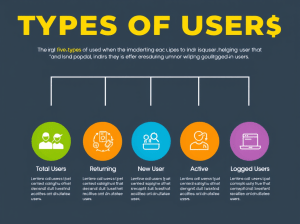
Google Analytics 4 (GA4) offers a more flexible and event-based model than Universal Analytics, but it can be confusing when it comes to understanding user types. Here’s a breakdown of the main user types GA4 tracks, what…
-

Google Analytics 4’s Consent Mode helps websites respect user privacy by adjusting data collection based on consent. While this is essential for GDPR and CCPA compliance, it introduces a challenge: attribution gaps. When users initially deny consent…
-
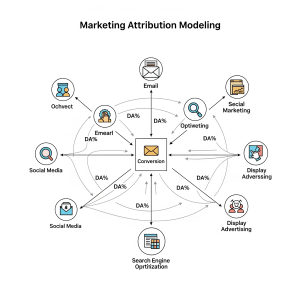
Why Session Stitching Matters in GA4 When analyzing user behavior in GA4 BigQuery exports, you’ll quickly realize: sessions are not always clean, continuous, or unified. With Consent Mode, device switching, and delayed user identification (user_id or gclid),…
-

When Consent Mode is enabled in GA4, your session reporting gets a bit trickier — especially if you’re working with raw event data in BigQuery. If a user hasn’t granted analytics consent (analytics_storage = ‘granted’), GA4 won’t…
-
When Consent Mode is enabled in Google Analytics 4 (GA4), the way sessions are initiated, maintained, and reported changes significantly. This ensures compliance with privacy laws (like GDPR or CCPA), but also impacts how you interpret session…
-
Calculating the number of sessions in BigQuery GA4 provides immense flexibility and granularity. However, it can often lead to discrepancies when compared to the GA4 user interface (UI). Understanding these differences and how to mitigate them is…
-
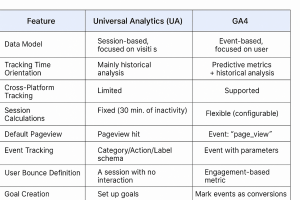
One of the most powerful features in web analytics is exporting raw data into BigQuery for deep analysis. Both Universal Analytics (UA) and Google Analytics 4 (GA4) support BigQuery, but they do it in very different ways.…
-
Google Analytics 4 (GA4) BigQuery exports include a wide range of traffic source attribution fields. This variety can feel overwhelming when you’re first trying to understand and calculate attribution. You might envision it in a specific way.…
-
Google Analytics 4 (GA4) stores event-based data in BigQuery, where sessions are derived from event timestamps and session identifiers. Below are the steps to calculate the number of sessions from GA4 BigQuery exports, including an example SQL…
-

Google Analytics 4 (GA4) allows you to export raw event-level data to BigQuery for in-depth analysis. Below are the steps to set up the export, along with examples. Step 1: Create a Google Cloud Project Example: If…

